
Dominion Energy
Reduced time taken by admins in managing data submissions
Role
Lead designer
Deliverables
Visual Design, Content Structure, Usability testing, Dev handoff
Team
Client (Product Owner)
Product Manager
5 Engineers
Overview
Dominion Energy, Virginia's largest energy utility provider, created Pyxis to centralize their various data sources into a discovery tool for their network of employees and stakeholders. Initial focus was driven by engineering to create a technical data framework called Data Mesh with a functional front-end experience.
Collaborating closely with the product manager and engineering, we explored multi-page admin workflows to optimize Pyxis, surfacing the relationship between various data sources and core admin functionality.
During the 5 month period, I led the project covering for the team's in-house designer who was on maternity leave.
What's the issue?
The current platform was used as a testing ground for engineering to submit and review data as a standard user and admin user. Its current state lacked key features for consumers to operate independently without technical support. This included:
Unsupported role-based functionality
Important status updates lost in emails
Technical jargon vs. intuitive language
Future scope of the project required Pyxis to be consumer friendly for Dominion's non-technical employees so that it may be used independently as a data resource company wide.
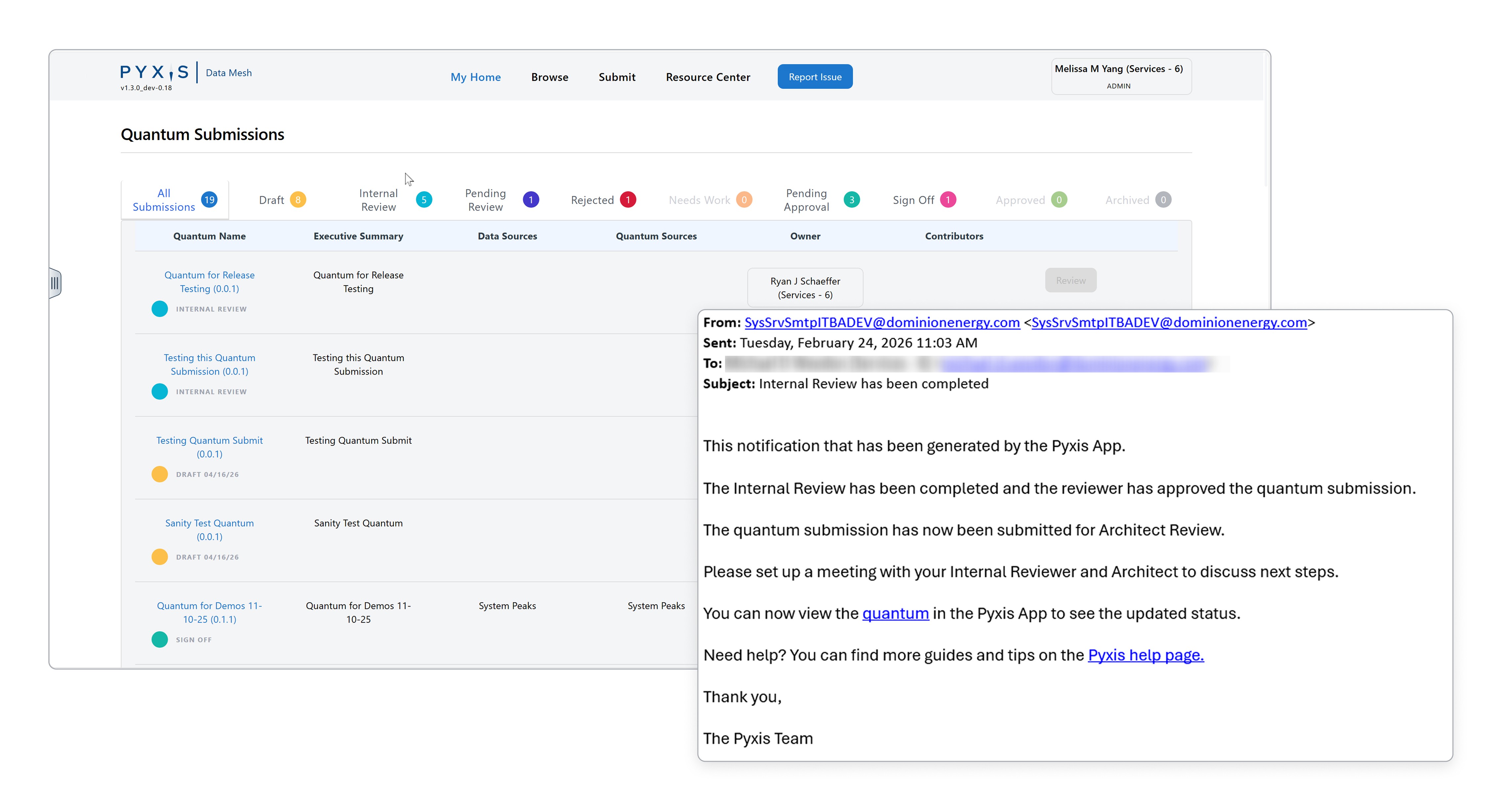
A snapshot of Pyxis' limited but functional workflow.
Focus Areas
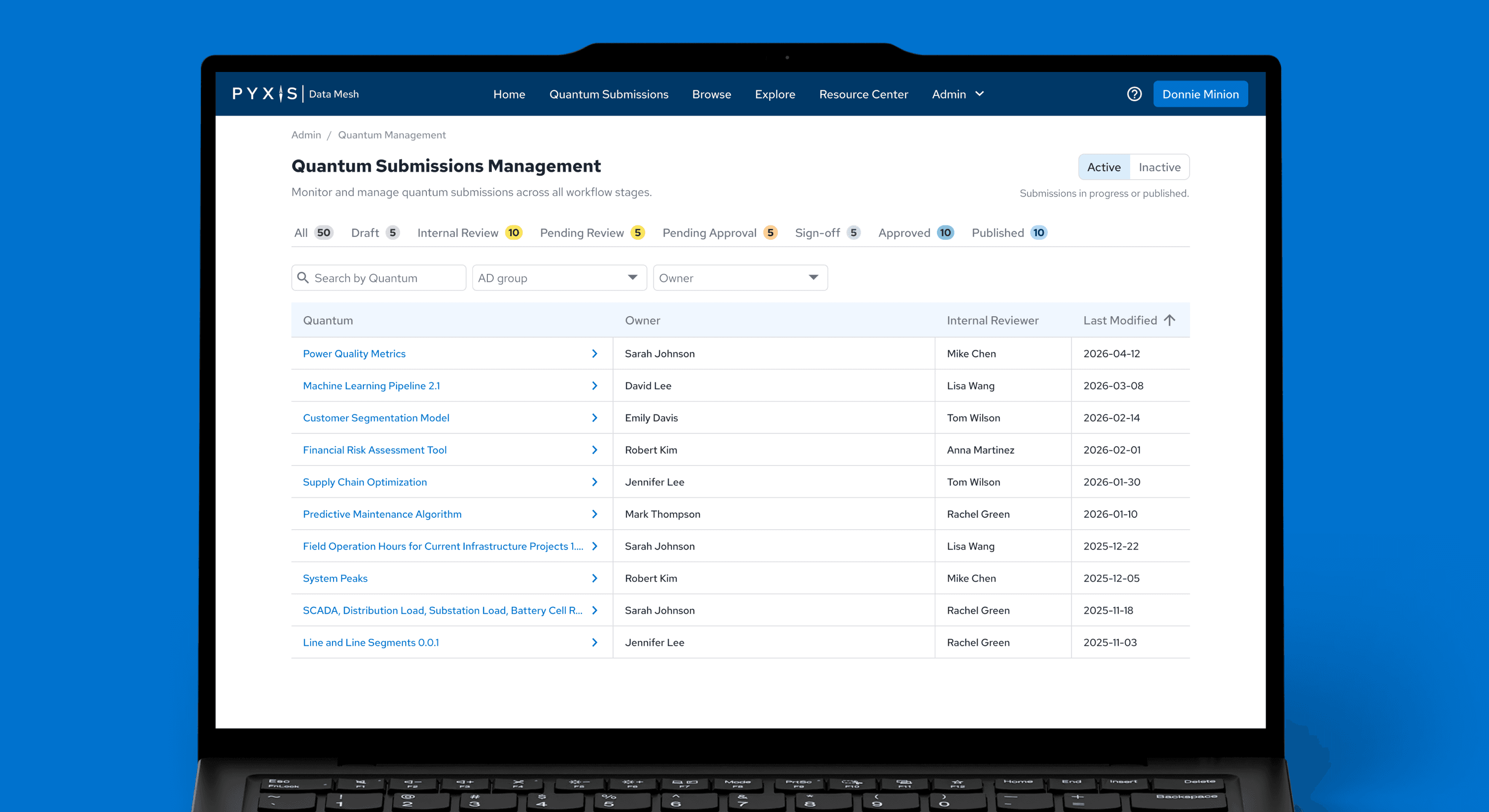
Admin Dashboard
Primary focus centered on creating an admin dashboard for admin to view high-level summaries and gain quick access to priority actions. Previously, admin relied on communicating with the backend team for summarized reports.
Data Management
Following the Admin Dashboard, admins needed the ability to edit or deactivate data types. With custom development, we took this opportunity to create custom slide out drawers with pop up modals for quick viewing access to priority actions. The development team liked it so much, they advocated to simplify the data preview workflow to include this component for existing pages like Browse.
Confirmation Modals
Pyxis is a complex cloud software that requires admin and secondary internal reviewers. It was important to surface major changes as executive actions immediately impact the standard user. I took this opportunity to create confirmation modals reusing components from the Constellation Design System, ensuring admins understood and have the opportunity to visually review their changes before system changes were implemented.
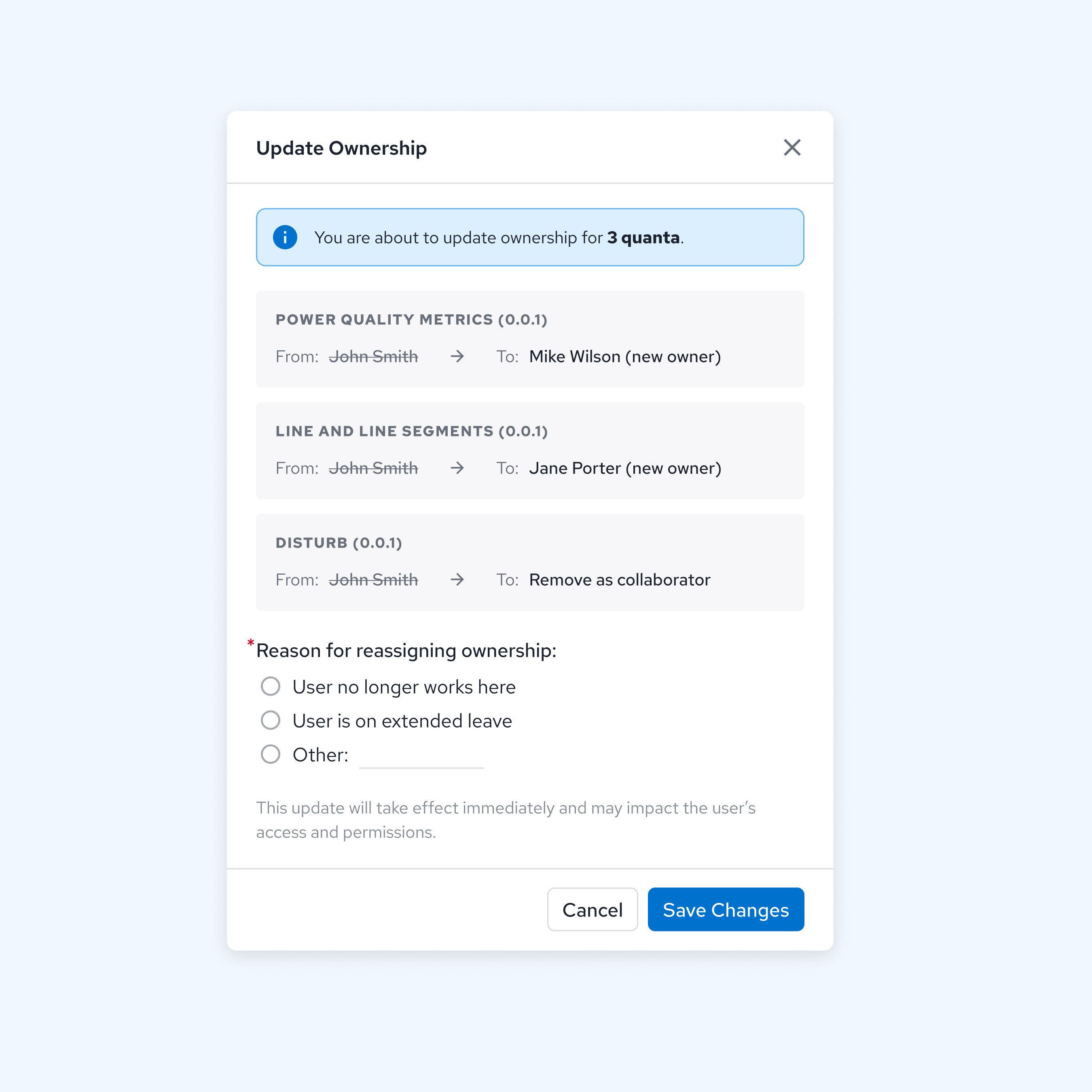
Previewing data ownership reassignment
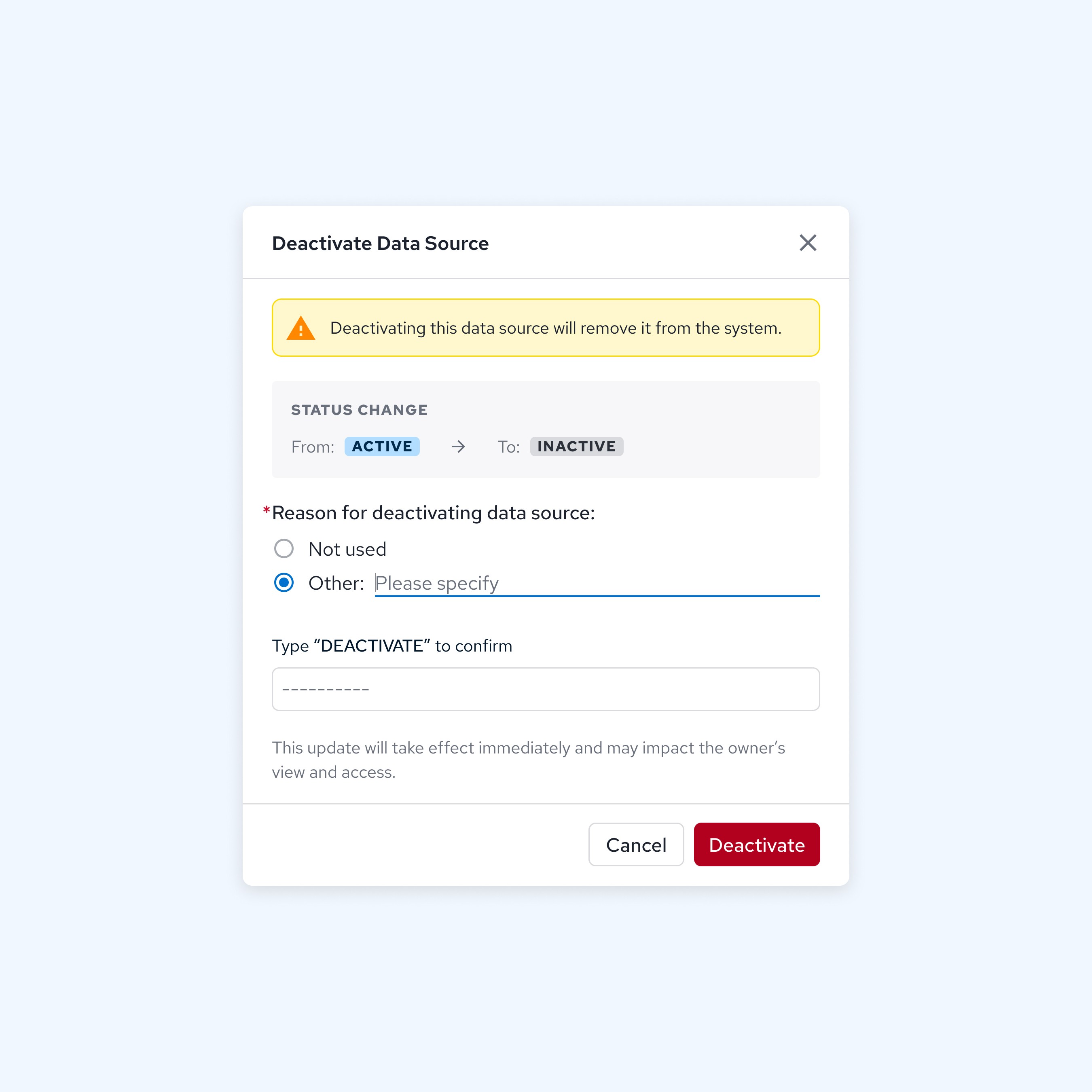
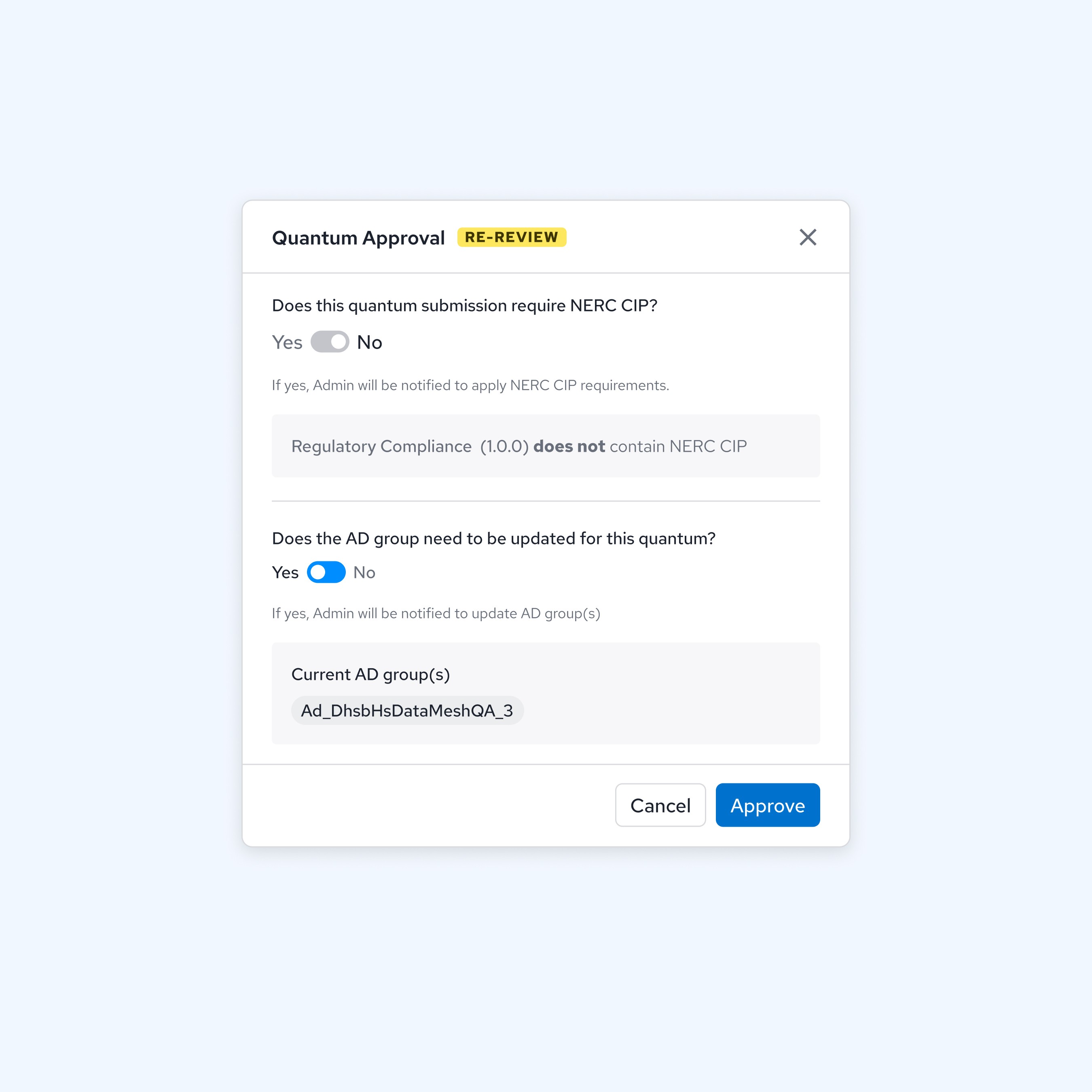
Reviewing data submission requirements
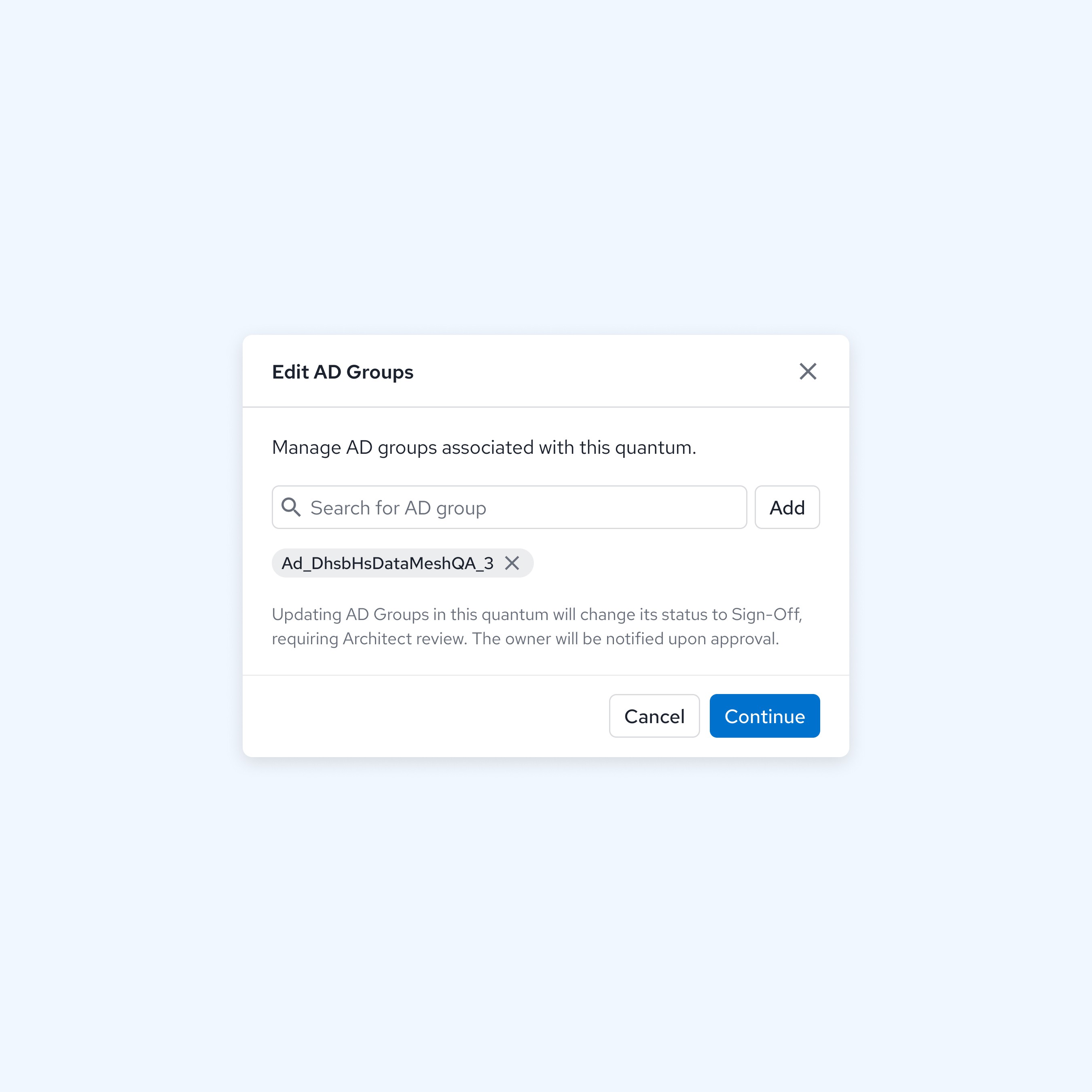
Preview selected security keys before final changes
Pyxis Homepage
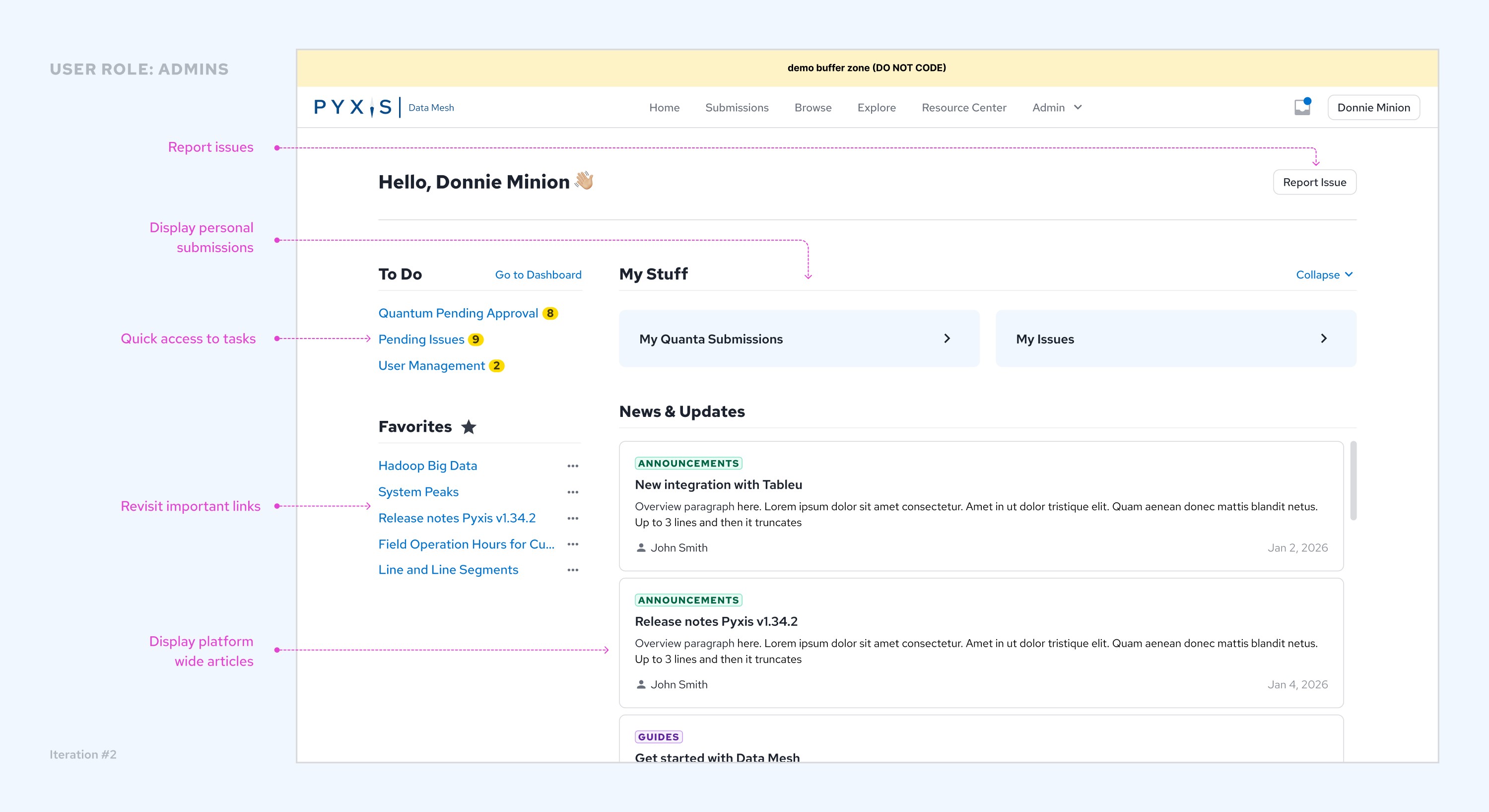
Iteration #1: Content Layout
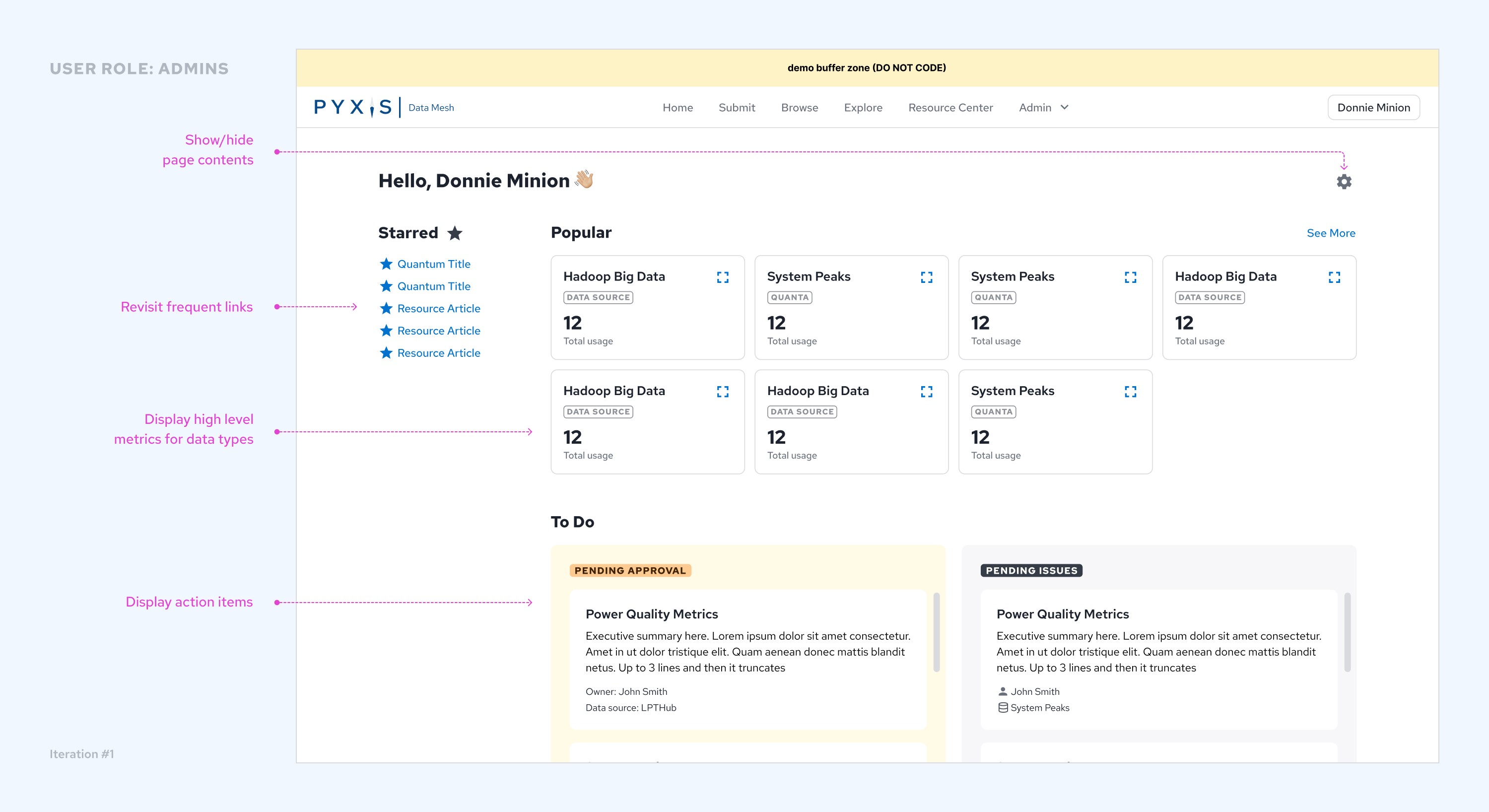
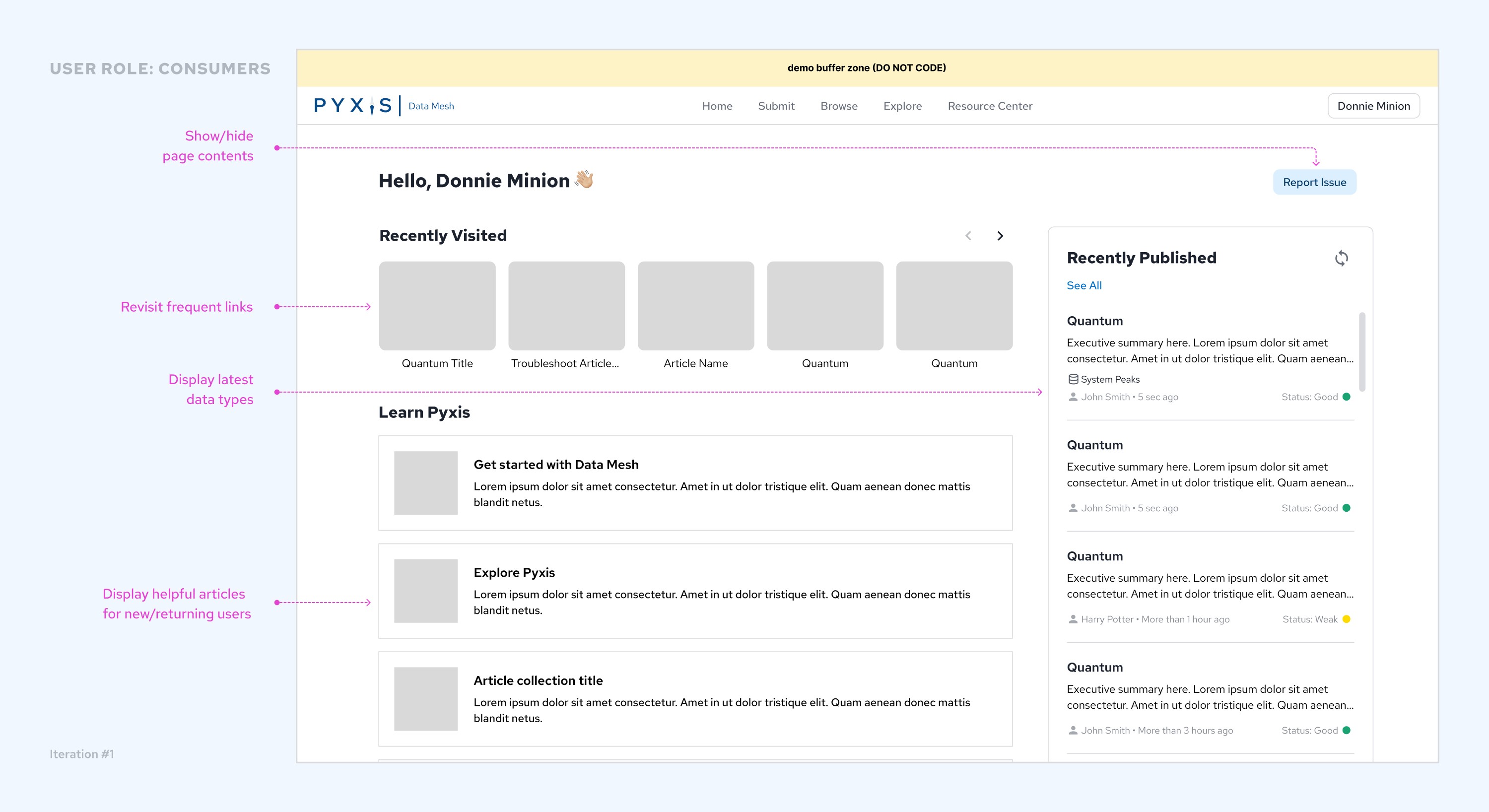
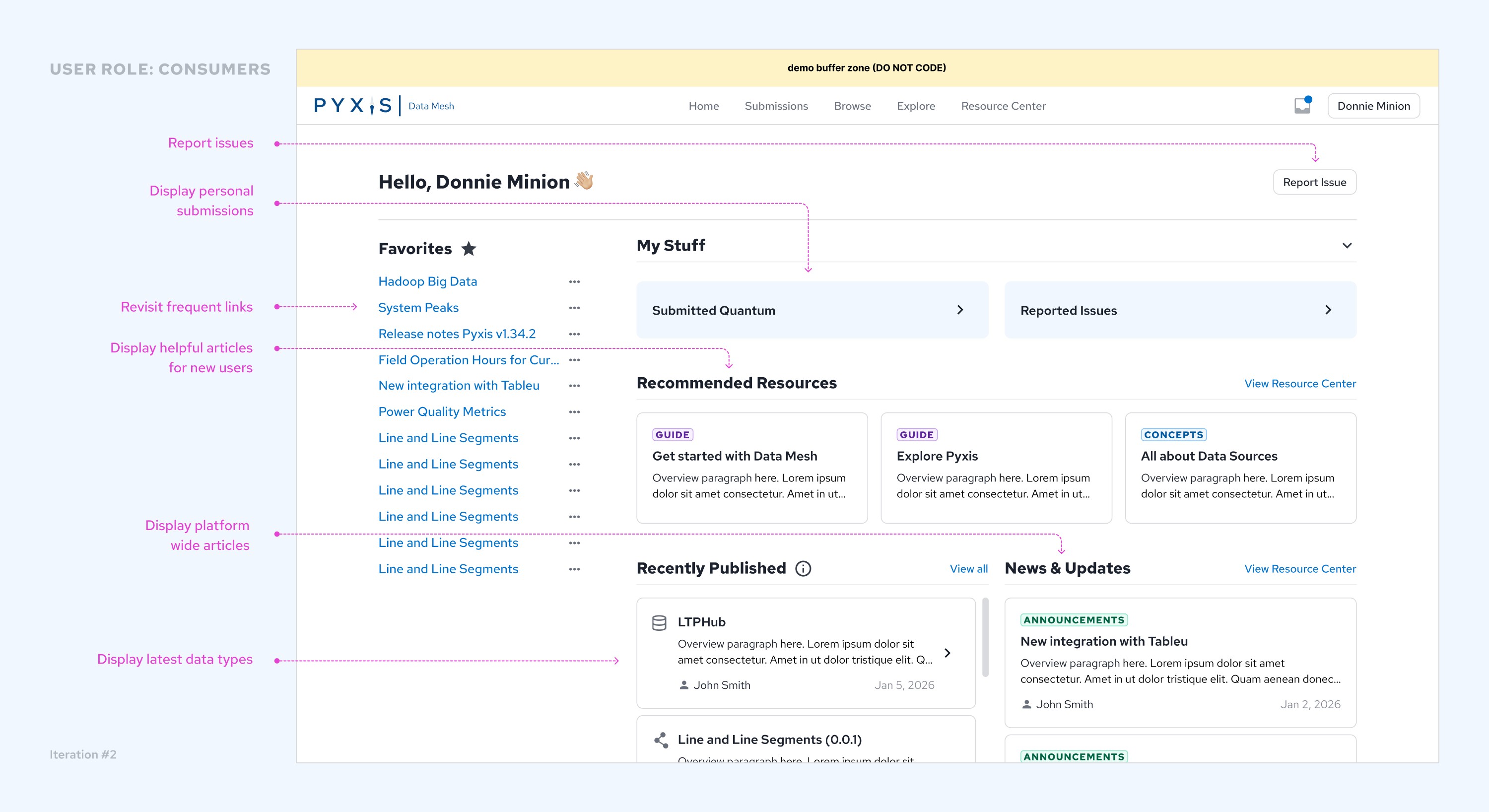
As the Pyxis platform progressed, the client shifted focus to market Pyxis as a data exploration platform rather than keep it as an internal data catalogue. Initial business requirements included many wishlist items, including homepage viewing personalization for 2 major users roles: Admin & Standard Users. Keeping the design loose and mid-fi, I played with content options based on the requirements of each user.
Iteration #2: Favorites Bar + Dynamic Layout
After internal review with the engineering and the client, we focused on the evolution of the favorites bar and creating a dynamic layout with the same CSS structure for both Admin & Standard User roles.
First Impression Homepage Usability Test
Before further refinement on the homepage, I conducted a moderated 1:1 interview with a mid-fi prototype to collect feedback from 5 proxy participants and 2 Dominion employees. With limited user testing resources, I planned, interviewed, and analyzed the interviews manually before iterating based on feedback.
Using AI like Claude and Granola really helped me synthesize and strategize my moderated user interviews.
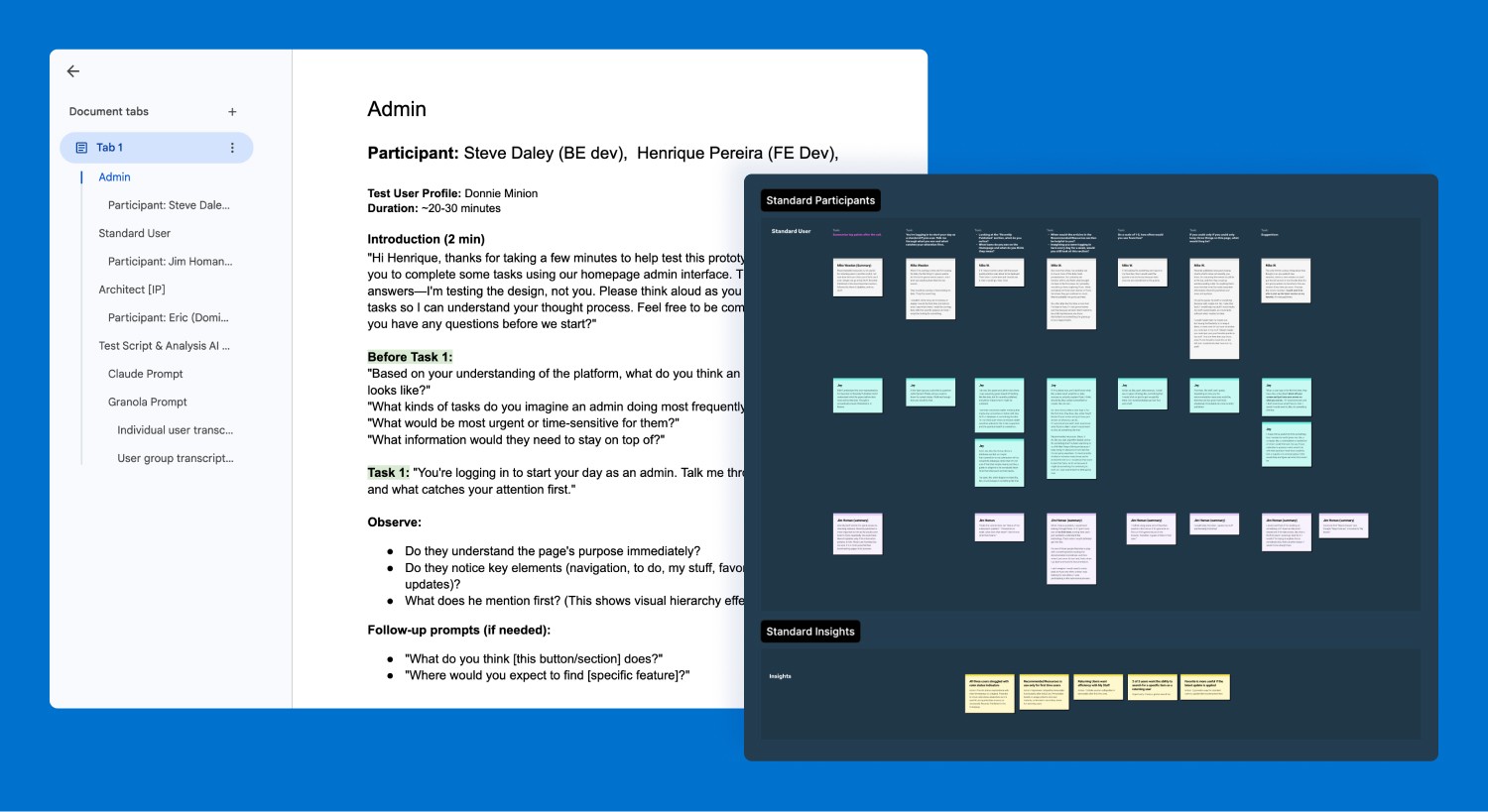
User test script and synthesis artifacts.
Admin Insight #1
100% of Admin participants were confused with unexpected "User Management" page navigation.
Standard User insight #2
3 of 3 participants said "My Stuff" took up too much space and would prefer to hide it.
Standard User Insight #3
1 of 3 participants asked how "Bookmarks" would differentiate from web browser bookmarks.
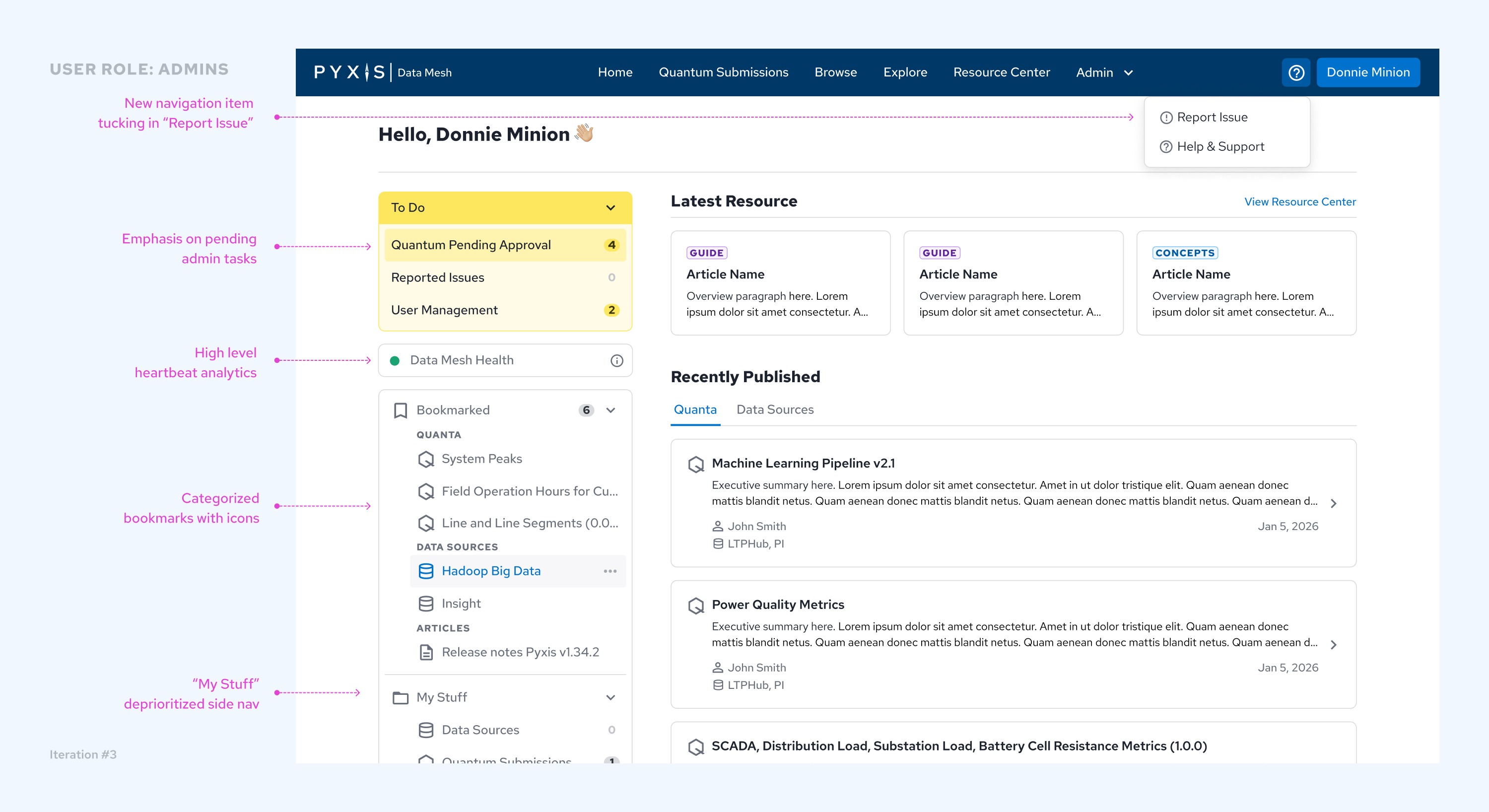
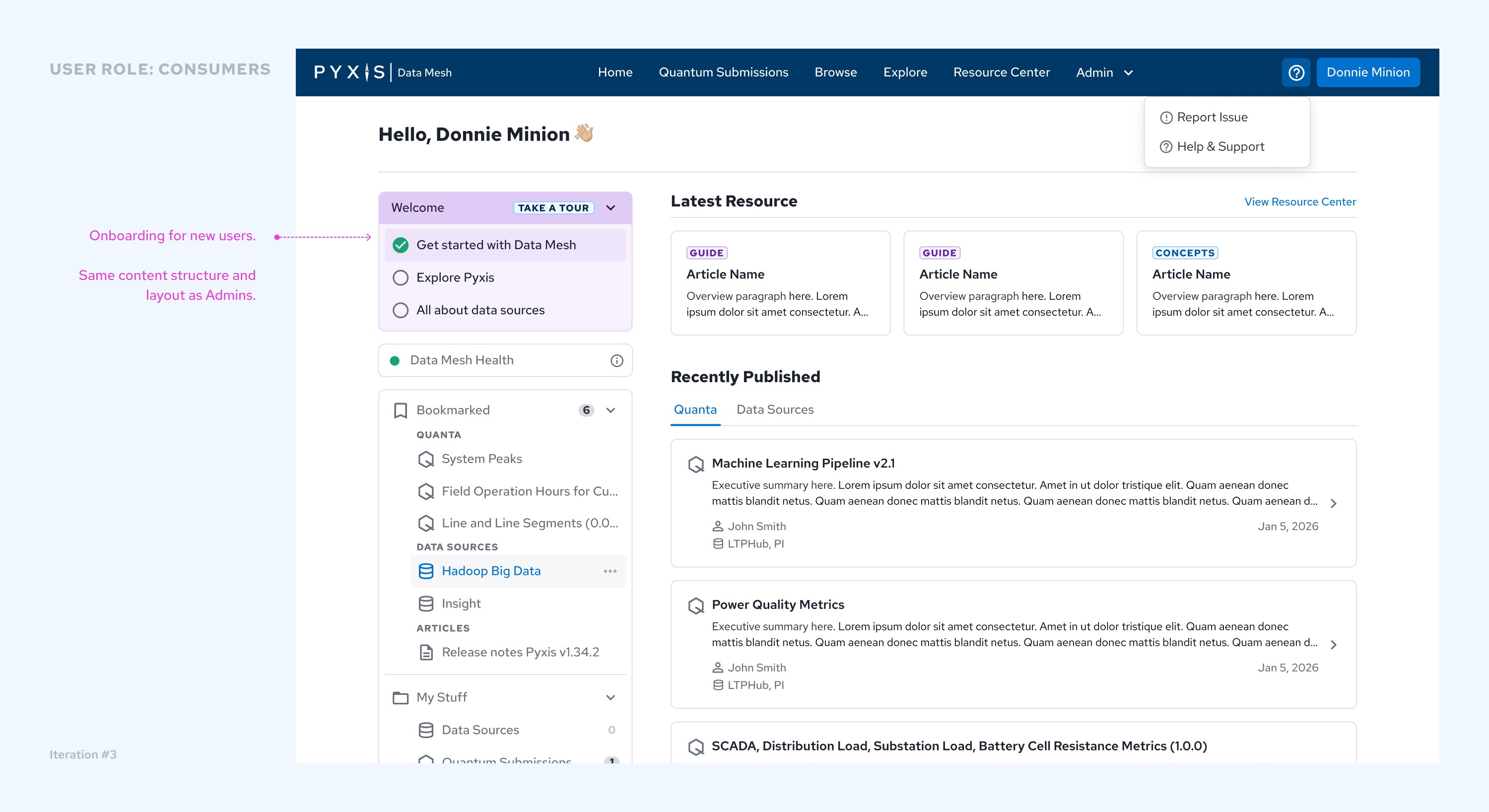
Iteration #3: Task panel + New user onboarding ✅
Findings based on usability testing and further discussion with the product manager led to:
1) Emphasized primary task flows for admin and standard user roles.
2) Deprioritized "My Stuff" to allow space for more relevant content in the viewport.
3) Future concept: Change top navigation to a global side nav with embedded Bookmark feature
Future
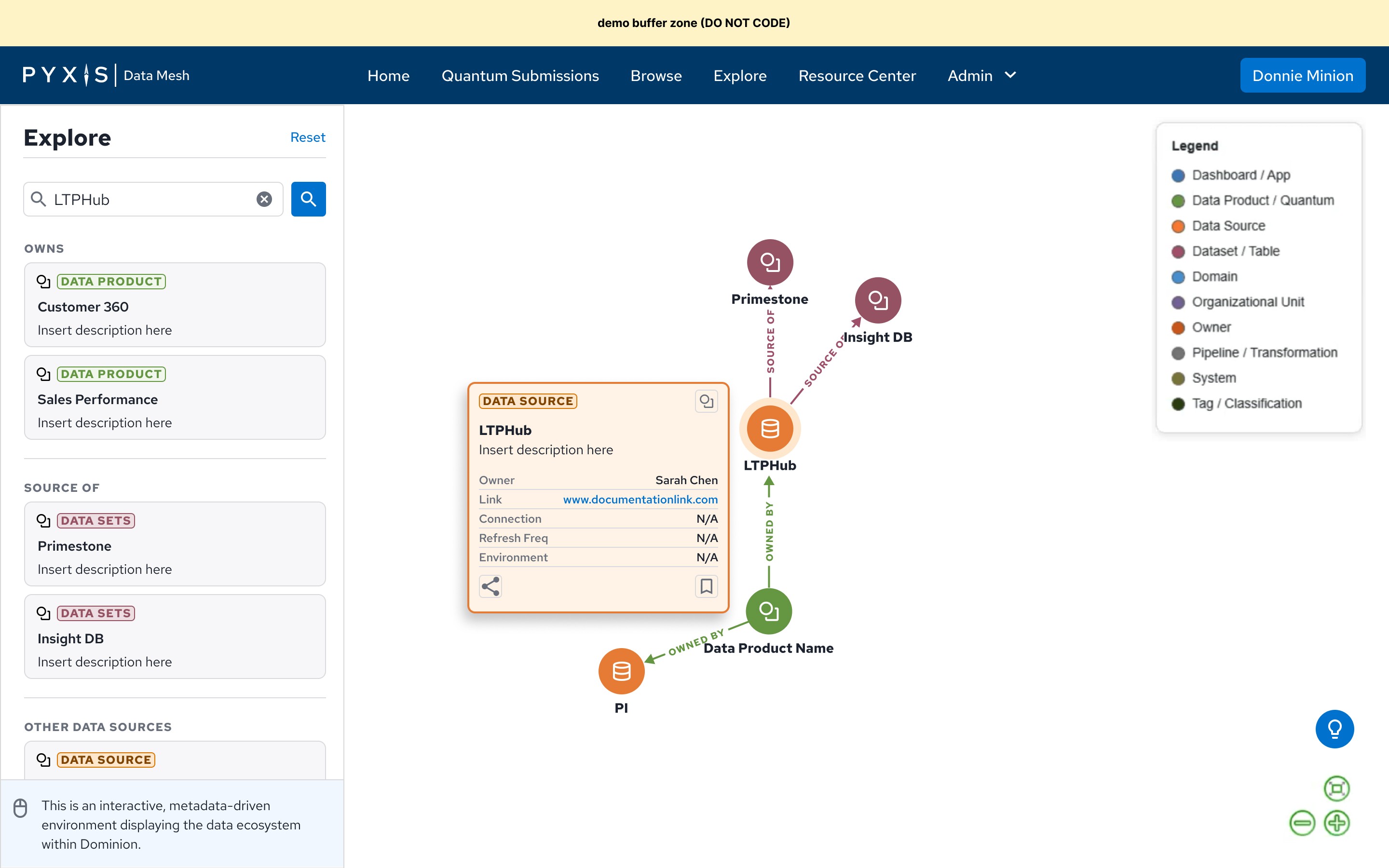
As my contract was ending, I had the pleasure of creating early-stage concepts for the interactive Explore page. This set the stage for the client, engineering, and their returning designer to discuss and iterate on the core feature of Pyxis — providing Dominion Energy's employee network the ability to search and source specific data across multiple regions, teams, and data sources.
Present
Explore & Development
Continuing from where I left off, I onboarded the returning designer early concepts of the Explore feature for them to take over. Admin and homepage are currently in development.
Future
Product Launch
Pyxis aims to launch in 2027🤞🏼.
Future
Measuring performance
KPI's will likely focus on admin efficiency, platform adoption, data submission quality, and self-service success. The overarching goal is reducing dependency on technical staff regarding the adoption of Pyxis.
Key Takeaways
This project required me to be detail-oriented, organized, and collaboration heavy with the product manager and engineering to connect the user's end-to-end experience via complex workflows. Overall, the client was happy with our partnership and I enjoyed paving the way in building out the first iteration of the product.
A newcomer to the domain
Because I was new to how the product was originally built, I was able to bring an unbiased perspective to the end user experience. This allowed me to explore multiple solutions to logic based flows, often improving existing UX or charting new ones for future ideas.
Baking in user testing
Early on in the project, I pushed for user testing in early concepts before development hand-off. After a successful pilot test with the client as the participant, we baked user testing into the design phase making sure we allowed time to collect user feedback prior to final design iterations and development hand-off.